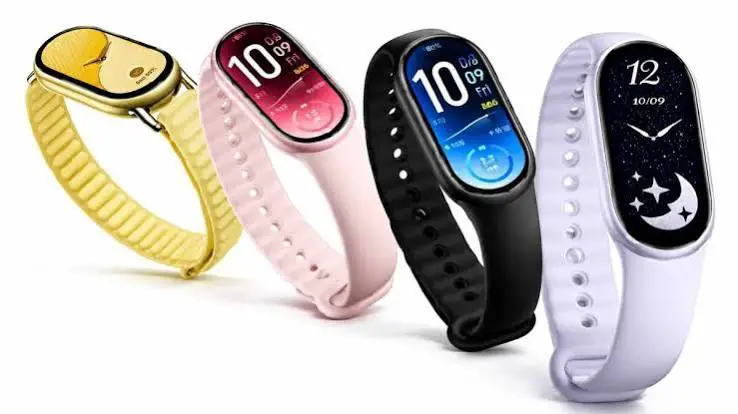
How to Setup Xiaomi Smartband 11 on Android Mobile phone
Now that you have your Xiaomi Smartband 11, it is time to setup the wearable with the support app Mi Fitness application. Check out the tutorial below on how to connect the fitness tracker with the support app on Android smartphone.

How to Setup Xiaomi Smartband 11 on Android Phone
- Download the Mi Fitness from Google Play Store. You can do this by opening app Google Play Store, and search for “Mi Fitness”. You can also scan the QR code on the user manual, or the smartband 11.
- Check out the compatibility of your phone with the Mi Fitness application, see if its compatible
- Select on “Install” to download the Mi Fitness application, it will automatically install in on your mobile phone when the download is complete
- Now that the download is complete, Open the application
- Select Start
- The app will ask for permissions, Agree to Access location, it will also ask to Access Activity info to be able to continue.
- Another request is agreement for the following, “User Agreement and Privacy Policy”. Tap to Agree
- To be able to continue, select your “Region” if the band is already available in your country/region, you will be able to continue and activate your smartwatch.
- The app will ask you to “Turn on New Stats”
- Now you can add your smartband and setup with the support app.
- Tap on Device
- Before you can continue, the app will ask you to Sign-in, register an account with your email or your Google account.
- Once you are signed-in, the Mi Fitness app will ask you to set the relative position and nearby devices, tap allow.
- Allow additional permissions
- Mi Fitness app will search for your Xiaomi Smartband 11, if not, tap on “Add Device” to search or your band
- When the Xiaomi Smartband 11 appears on the search dashboard, select the fitness tracker
- To verify the pairing, a confirmation code will show on your fitness tracker, check if it is the same with your support app.
- Tap to Confirm the verification code
- The support app again will ask for several permissions, it will ask for notification permission for the Mi Fitness app. Allow the permission, to be able to receive smart notifications. There is also a notification permission for incoming calls, as well as other important permissions.
- When everything is set, your Xiaomi Smartband 11 is Now Connected
Problems and Solutions when Xiaomi Smartband 11 when Pairing
Problem: The Xiaomi Smartband 11 does not appear on the search area or will not Connect
- Try to check if the Bluetooth connectivity is activated, if it is available, remove any devices that are using the connectivity.
- Check if the band is activated, factory reset it to have a clean setup
Problem: The connection on support app of the Smartband 11 is not stable
- Remove any devices that is using the Bluetooth connection
- Update the support app (Mi Fitness) to the latest version
You Might Want to Read: Realfit Watch
