How to Download PodCast on Smartwatch with BIP Max Smartwatch
If you love listening to Podcast, and want to have it on your smartwatch, some of the popular smartwatches do have a feature for downloading Podcast, and playing them directly on the smartwatch. Below is a tutorial on how to download a podcast and play it on your smartwatch, listen to your favorite podcast anywhere, anytime on your favorite smartwatch.
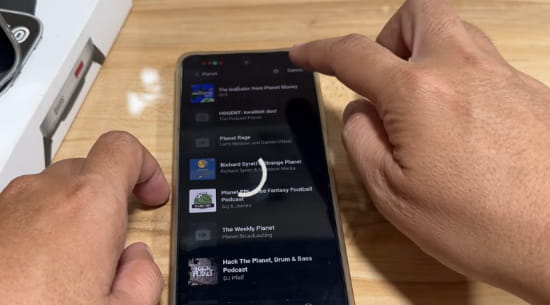
How to Download PodCast on Smartwatch
On the App
- To be able to add podcast file on the smartwatch you will need to download a Podcast player on the smartwatch
- Open the Zepp App, and search for the Podcast app in the app store
- Tap Install to Download the App
- After the Installation, open the Podcast app on the Zepp App
- Tap on the + Sign to add a Podcast
Options are:
- Search for Podcast Channel on the App
- Add an RSS Feed Link
- Download an Podcast file directly on the smartwatch6.
6. Tap Search to find a Podcast Channel
7. Depending on your keywords, the app will search for a Podcast for the topic you pick
8. Once you pick a podcast channel, pick a podcast topic and tap on it to download
9. The app will first download the app on the Zepp app (smartphone)
10. After a complete download, the app will transfer the podcast file on the smartwatch
You Might Want to Read: Xiaomi Smartband 11 Global
On the Smartwatch
- Open the Podcast App on the smartwatch
- Tap on the downloaded podcast to listen
- Options on the player are adjusting the volume and playing the next podcast
Please take note that you can delta the podcast right on the smartwatch without the need to open the support app.
