How to Connect a Da Fit Smart watch to Phone 2026 Guide
Its 2026, and the Da Fit enabled smartwatches or what we called Da Fit smart watch do have some new changes when it comes to pairing or connecting the smartwatch. We updated the previous article, and here is a new setup process for 2026.
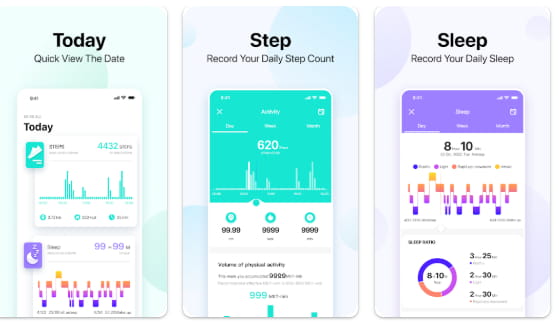
How to Connect a Da Fit Smart watch to Phone
- Tap on Install to download the app for Android smartphone. You can either search it on Google Play store or scan the QR code of the support app.
- Open the Da Fit application
- Tap Agree to continue, this is for the Privacy Policy and Terms of Service
- Set your Profile or you can “Skip”, if you want to continue setting it, the profile includes, your Gender, Age, Height, Weight, StepLength
- Once completed, Da Fit will ask for permission for notification. If you want to receive notification, “Enable Permission”, this is optional.
- Another permission is the “Location Permission”, granting permission will enable servies like Device discovery, pairing, workout training and weather data. Enable this to pair your smartwatch.
- Also allow Da Fit for access on devices location
- Da Fit will initiate to use your Bluetooth Service, enable the permission
- Another permission, is to “find/determine relative position of nearby devices”
- After all the permission, the app will now search for your smartwatch.
- Tap on the smartwatch to pair it with the Da Fit app. If the smartwatch notify you to pair, tap on it to agree to pairing.
- You are now Connected to the wearable.
Setting the Basics of your Da Fit Smart watch
Downloading Watch Faces – to download additional watch faces for your smartwatch, go to the device section menu, select “Edit”, then tap on “To Add”, select from the available watch faces.
Smart Notification – this feature is for the push/message notifications, you need to enable this function if you want to receive messages from SMS or app notifications. Da Fit application supports several social apps, including Facebook, Instagram, WhatsApp, and more. If you want to receive notification, you have to enable the permission for notification.
You Might Want to Read : Kieslect Actor Leading
Time Format- with Da Fit, you have an option to change from 12 HR format time to 24 HR format time, the option for this setting is available on the devices Menu, then Other option.
Troubleshooting Problems with Da Fit application
It is not unusual that you may encounter some issues/problems when setting up the smartwatch. Especially for newbies, setting up the smartwatch is a daunting task, we have here some of the things that you can do to troubleshoot issues with your Da Fit smartwatch.
Can’t pair with the Smartwatch – restart the device, reinstall the app, check Bluetooth connectivity.
Unstable Connectivity – Check support app compatibility, pair the smartwatch again, remove any devices that is using the Bluetooth network, update to the latest version of the app.
