Tutorial on How to Setup Lenovo Watch Fit to LenHealLife App on Android Phone
If you have the new Lenovo Watch Fit F101 Smartwatch, here is a tutorial on how to setup the smartwatch with the support app LenHealLife app. The application is available on Android and IOS platform.
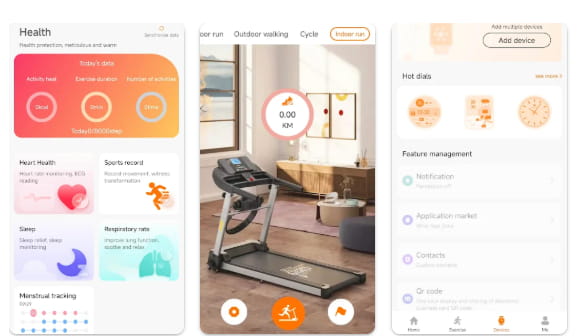
How to Setup Lenovo Watch Fit to LenHealLife App
- Scan the QR code of the LenHealLife app. It is available on the user manual, the box packaging or in the smartwatch. With our Lenovo Watch Fit, the QR Code is available in the “Settings” option.
- You can also search the name of the app directly on Google Play Store.
- Tap on Install to Download the Application, it will automatically Install the app in the smartphone.
- Open the LenHealLife app
- Agree to Privacy Policy and Privacy Statement
- Tap “I Know” to the following permissions. Camera, Storage, Location Information, Microphone, Phone, Contacts, Call Records, SMS.
- Register an Account (Tap I have Agreed to Privacy Policy)
- The app will ask for several permissions
- “Send Notifications”
- “Collect Background Location Information” including access to devices location.
9. Tap on the “.Devices” menu, located on the bottom part of the dashboard
10. Select “Add Device”
You Might Want to Read: UDFine Watch Luna
11. It will ask again to determine background location information.
12. Another permissions “To Record Audio”
“Find, Connect and Determine Relative Position”
13. If your Bluetooth is not yet activated, the app will ask to turn it on.
14. Select “Add Device” again, and it will again ask to determine the relative position.
15. There are two options for “Devices” Watch and Smart Glasses”
16. Select the Watch, tap “Connect”
17. It will now scan for the “Lenovo Watch Fit”, tap the smartwatch to Connect
18. Agree on the smartwatch for “Binding Agreement”
19. You are now Connected
About LenHealLife App
The app offers comprehensive features including workout tracking and analysis, smart reminders and notifications, device management, and data syncing with backup support. It pairs with smartwatches to accurately track activities and sleep patterns, supports various sports modes like running, walking, and cycling, and presents detailed exercise data—such as steps and cadence—in a clear and easy-to-read format.
