Tutorial on How to Connect /Setup TechLife Smartband in Android phone
Techlife Smartband is the latest fitness tracker from Techlife. Light, compact and loaded with sports, health, and notification features. We have the details below on how to properly setup your smartband with the support app Dee Fit application. The tutorial starts from downloading the app, to connecting and setting the basic options for your wearable.
How to Connect TechLife Smartband to Phone
Table of Contents
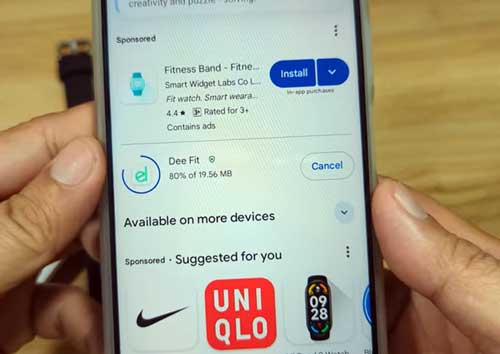
- Search / Download the support app for TechLife, Dee Fit App. You can scan the QR code in the user manual or smartband. You can also search the app in the Google Play Store, search Dee Fit App.
- Tap to Install, the app
- Open the app once it has completed the download, and install
- Agree to Privacy Policy, tap to Confirm
- Complete the Profile
- Tap on the Device Menu
- Select Add Device to search for your Smartwatch
- The app will ask for permissions
Permissions are:
- Permission to Access this Device Location
- Access to Phone Call Logs ( optional)
- Find, Connect to Nearby Devices
- Make and Manage Phone Calls
- Tap on the TechLife Smartband TLSB01, select to confirm
You Are Now Connected
Basic Setup of Techlife Smartband in the App
Setting App Smart Notifications
Tap on Message Push, select the app that you want would like to receive notifications. If the app ask for notification access, allow the permission if you want to receive notifications.
You Might Want to Read: Rogbid Apex TS
Downloading Dials
if you want to download dials or watch faces for your smartband, you can go to the Dial section menu, then select the desired dials from the list, then tap to download. It will automatically download the dials in your wearable.
Enable Wrist Raise
To enable wrist raise for your Techlife Smartband, go to device, then select “Other Settings”, then select “Raise the wrist to light yo the screen”, toggle it on.
To Change Unit Settings
Go to “Device” section, then select “Other Settings”, the select “Unit Settings”
