Tutorial on How to Connect Realme Watch 5 to Phone with Realme Link App
Here is a tutorial on how to connect the new realme smartwatch, the realme Watch 5 smartwatch to your phone, particularly Android smartphone. See the step by step guide below on how to connect the device to realme link app.
Before you download the app for your smartwatch, set the language first to your desired language. This is available in the first part when you open the device, it will ask to set the language first, from English, French, Spanish, Portuguese, Chinese, and more.
The smartwatch will also ask to Download the “realme Link” app to your phone from the Google Play Store or the Apple App store.
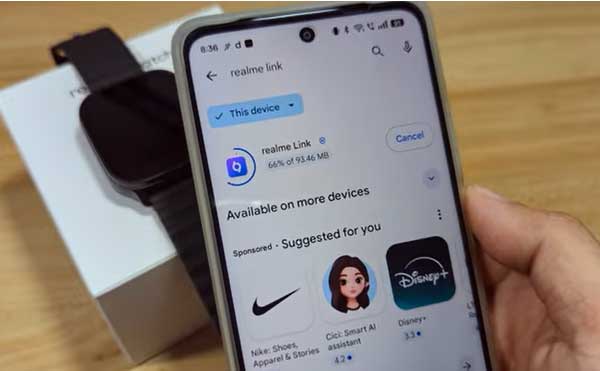
Tutorial on How to Connect Realme Watch 5 to Phone
- Search and download the app on Google Play Store. You can also scan the QR code of the app available in the smartwatch as well as the packaging, Tap Install.
- Open the app, once the download is completed
- Agree to User Agreement and Privacy Policy, Tap the Agree and Continue
- Set your Region (Location), Tap Next
- The app will ask you to Link a Device, Tap Pair Device, then Agree and Continue
- Before you can continue, the app will ask you to Register and Sign-in.
- Agree to Notification Permission
- It will also ask for the permission for Nearby Devices, and Relative Position
- When the smartwatch appear on the dashboard, tap on the wearable to connect
- Agree to several Permission, Tap Next
- Service Agreement and Privacy Notice
- Call Reminder
- Notifications
- Music Playback Control
- Weather
- Look for the Realme Link App, and toggle button on (Allow Notification Access permission)
Additional Permissions are:
- Allow Access to Phone Call Logs
- Access to Contacts
- Make and Manage Phone Calls
- Send and View SMS Messages
- After the settings of permission, the app will now start to connect with your smartwatch.
- Once connected, the smartwatch will notify you to Bind with the app,a binding confirmation will show, asking to confirm if the pairing code is correct.
- Confirm the code, and Tap on Pair to completely connect your smartwatch to phone, particularly the Realme Link App
The smartwatch will show a message that you can now enter the basic operation, and on the app there is a message showing that the device is now Paired.
- You are now Paired with the support app on Android smartphone.
