How to Download Apps on Smartwatch Amazfit BIP Max
The Amazfit BIP Max Smartwatch is one of the latest smartwatch from Amazfit, and the latest in the BIP series. This smartwatch uses the Zepp application that is available on Android and IOS platform.
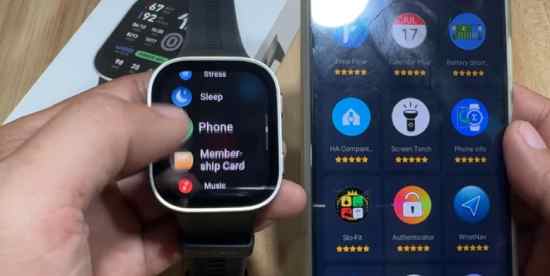
With the Amazfit BIP Max, users has an option to download additional apps for your smartwatch. When you are paired with the Zepp app, there is an option in the smartwatch app to download additional features for your smartwatch. Check out the details below, the tutorial on how to download apps.
How to Download Apps on Amazfit BIP Max
- Open the Zepp app
- On the dashboard, select the App Store
- There are two section, the App Store and Mine, the Mine section is for the preloaded apps, and the downloaded apps.
- If you want to download additional app, go to the App Store section
- There are several categories on the App Store, “new”,”Top”,”Workout”,”Health and Fitness”,”Utiities”,’Workout Extensions”,”Lifestyle”,”Productivity”, and “Games”.
Note: Every app has its own description, author, storage size, version history and the added new features.
6. Tap on “Install” to download the app, wait for the app to finish downloading, and transfer it to the smartwatch.
7. The newly downloaded app will be available in the smartwatch main menu.
You Might Want to Read: Garmin Bounce 2 Kids Smartwatch
About Zepp App
The Zepp App serves as a comprehensive health, fitness, and smartwatch management platform for Amazfit devices, offering detailed tracking of workouts, activity, sleep, heart health, stress, and recovery.
It also features AI-powered coaching, nutrition logging through meal photo recognition, smartwatch customization with apps and watch faces, and software updates. The app prioritizes data privacy with encrypted, GDPR-compliant storage and provides most core features for free, making it a powerful companion for monitoring health and fitness progress.
