Tutorial How to Setup Tecno Watch 3 Active Smartwatch to My Health App
We have here a tutorial on how to download, install, and setup the support app for your Android smartphone. Connect your Tecno Watch 3 Active smartwatch to your phone with the My Health application available on Android and iOS platform. For this tutorial, it is setup for Android smartphone, see the step by step guide on how to pair with your phone.
How to Setup Tecno Watch 3 Active to My Health App
- Download the app by scanning the QR code, or just search the name “My Health” on Android phone. Regarding the QR code, the code is available on the packaging as well as the user manual, and the smartwatch.
2. If the app appeared on the search Dashboard of Google Play store, tap on Install to download the app.
3. Open the application after the installation is complete, it is just less than 100 MB
4. Agree to “User Agreement and Privacy Policy” to continue pairing
5. Although this is optional, you can Setup your Profile or skip to proceed to the Dashboard.
6. The smartwatch will ask again for permissions, agree to permission, “Access to Physical Activities”, “Send you Notifications”
7. My Heath app will now load the Dashboard, there are at least several main menus, Tap on Devices Menu to add your device.
8. You are now on the search dashboard, Tap the Add Button to search for your smartwatch
9. Before you can proceed, you need to login or register an account. Please take note that you will need to copy the code sent to your email to register an account.
10. Once registered, the app will ask for several permissions, as well as it will ask to activate your Bluetooth connectivity if not yet activated.
11. Once done with the basic requirements, it will automatically search for your wearable, if available, it will appear on the app, ready for pairing.
12. Tap on the smartwatch to connect
13. A notification on the smartwatch will appear asking to agree with the pairing, tap on the check button to agree.
14. You have successfully connected to My Health app with your Tecno Watch 3 Active
You Might Want to Read: Infinix GTWatch 5 Pro Smartwatch
Possible Issues with the Pairing
If you are having issues with the pairing of the smartwatch on your phone, below are some possible troubleshooting solutions to fix the problem
- Remove any devices that is using the Bluetooth connectivity
- Reset your smartwatch as well as your phone
- Download the latest My Health app for your smartwatch
- Check compatibility requirements for your smartwatch
About My Health App
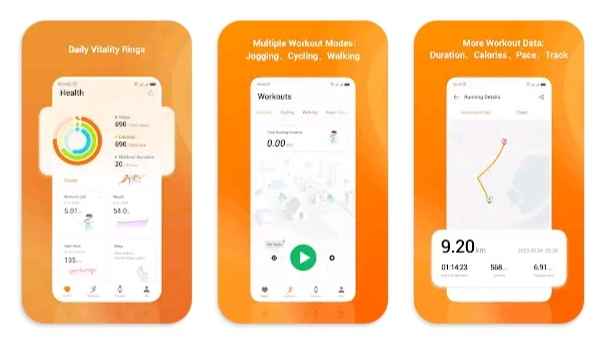
My Health App (Android) is a simple fitness and wellness app that tracks daily activities, workouts, and basic health data like steps, heart rate, sleep, and calories, while syncing with compatible devices to show easy-to-understand progress and insights.
About Tecno Watch 3 Active Smartwatch
The Tecno Watch 3 Active is a sporty and affordable smartwatch featuring a large 2.02-inch HD display, Bluetooth calling, and over 100 sports modes for both indoor and outdoor activities.
