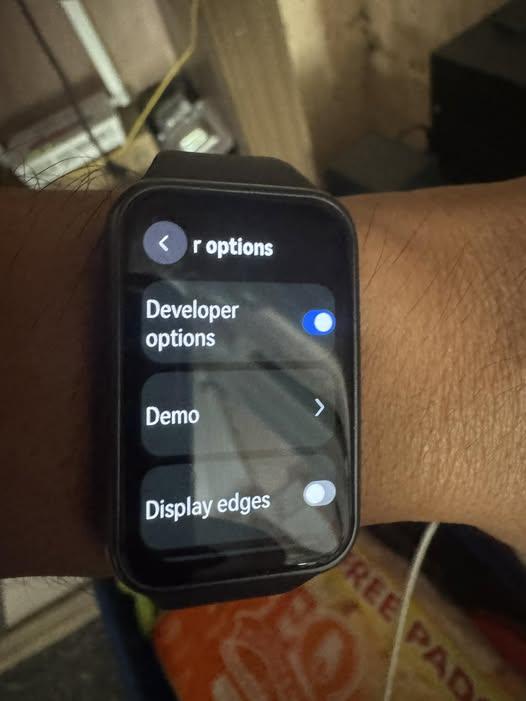
Activating Developer Options for Huawei Band 11
The Developer Option is not available in the main menus or sub menus of the Huawei Band II, it is hidden feature that can accessed by developers, by following a set of actions on the band.

Huawei Band 11 has this options but we are not sure if that is the main purpose for the band. Huawei did not provide any details if it allows third party app development for the band. I guess the feature is for their own troubleshooting, or app development.
What is Developer Options?
Anyways, for those who are asking what is the main purpose. Well, Developer Option allows users to use it for;
- Debugging or app Testing
- Troubleshooting issues
- Check background processes
So How to Access the Developer Option for Huawei Band 11?
- Go to Settings
- Select About
- Then tap on “Software version”, then double tap or more to activate the “Developer Mode”.
- It will pop-up a message “You are in Developer Mode”.
- Go Back to the main menu, and a new menu “Developer Options” is added to the main menu, after “About” section.
What are included in the “Developer Options”?
- Option to Activate/Deactivate Developer Option
- Demo
- Display Edges
- Manage Data ->Health Data-> Pulse Wave Arrhythmia Analysis, Sleep, Cycle Calendar, Emotional Wellbeing, Breathing Guide.
